Home - Everything important at a glance
KoiraKaveri's home screen is the app's intelligent hub, dynamically adapting to your dog's needs and the day's events.
The home screen is not a static view. It responds in real time to your dog's everyday life. The core idea is "Extreme Helpfulness": the app surfaces the most important things exactly when you need them. If routines are still undone, they appear first. If the day is calm, the app can suggest new training tips or memories.
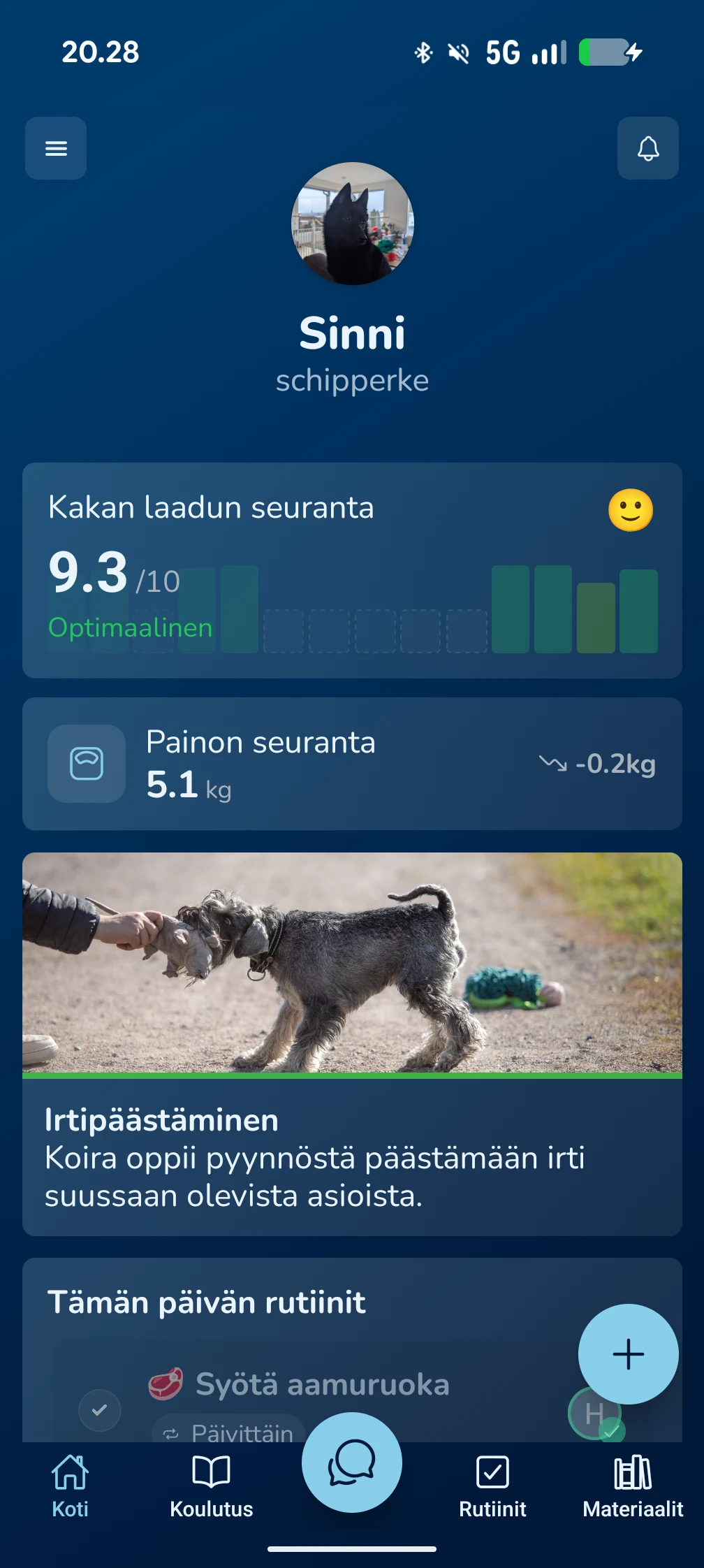
What do the home screen sections mean?
Daily Recommendations & Smart Tips
This section analyses your dog's health data, age and activity.
- What you see: Recommendations for articles, new exercises or reminders, such as updating health information.
- Benefit: You get personalised guidance without having to search for information yourself.
Routines and Reminders
Manage everyday dog care with less effort:
- Daily routines: See at a glance which tasks, such as feeding or medication, have already been marked done.
- Reminders: Less frequent events, such as deworming or vaccinations, appear here in their own section.
Health Tracking (Poop & Weight)
- Stool quality tracking: A critical tool for monitoring your dog's wellbeing. The home card shows the health status immediately and guides you to deeper analysis if needed.
- Weight tracking: See your dog's weight development and latest changes in a clear summary.
Active Training
Do not forget training sessions. If you have an active training module, such as recall, the app brings the latest exercise directly to the home screen to remind you of the next step.
Community and Sitters (Memories & Invites)
- Memories: Shared photos and moments between family members and dog sitters. New photos automatically appear here.
- Invites: If you have been asked to act as a dog sitter through Sitter Mode, you can view and accept the invite directly from here.
AI-Assisted Checks (Medication & Diary)
- Medication reviews: When a medication course ends, the app asks you to evaluate its effect.
- Document review: If you have scanned veterinary documents with the AI reader, you will find a card here for confirming automatically created diary entries.
Frequently Asked Questions
Why does my home screen look different than yesterday?
The home screen is dynamic. It prioritises items by importance. If your dog has unfinished routines, they push sections like Memories lower so nothing important is missed.
How do I remove a specific card from the home screen?
Most cards disappear automatically when the related task has been completed, such as marking a routine done or accepting an invite.
Can a dog sitter see the same things?
Yes. If you have shared access to the dog's information or used Sitter Mode, the sitter sees the routines and instructions you have assigned to them on their own home screen.