Dog Cue Dictionary - Consistent communication
A digital archive of all cues taught to your dog, making sure every family member and sitter uses the same words and gestures.
The dog cue dictionary is KoiraKaveri's tool for clear and consistent communication. It is a digital archive of all cues taught to your dog, making sure every family member and sitter uses the same words and gestures. This reduces confusion and speeds up learning.
You can access the dictionary from the dog profile or directly during training.
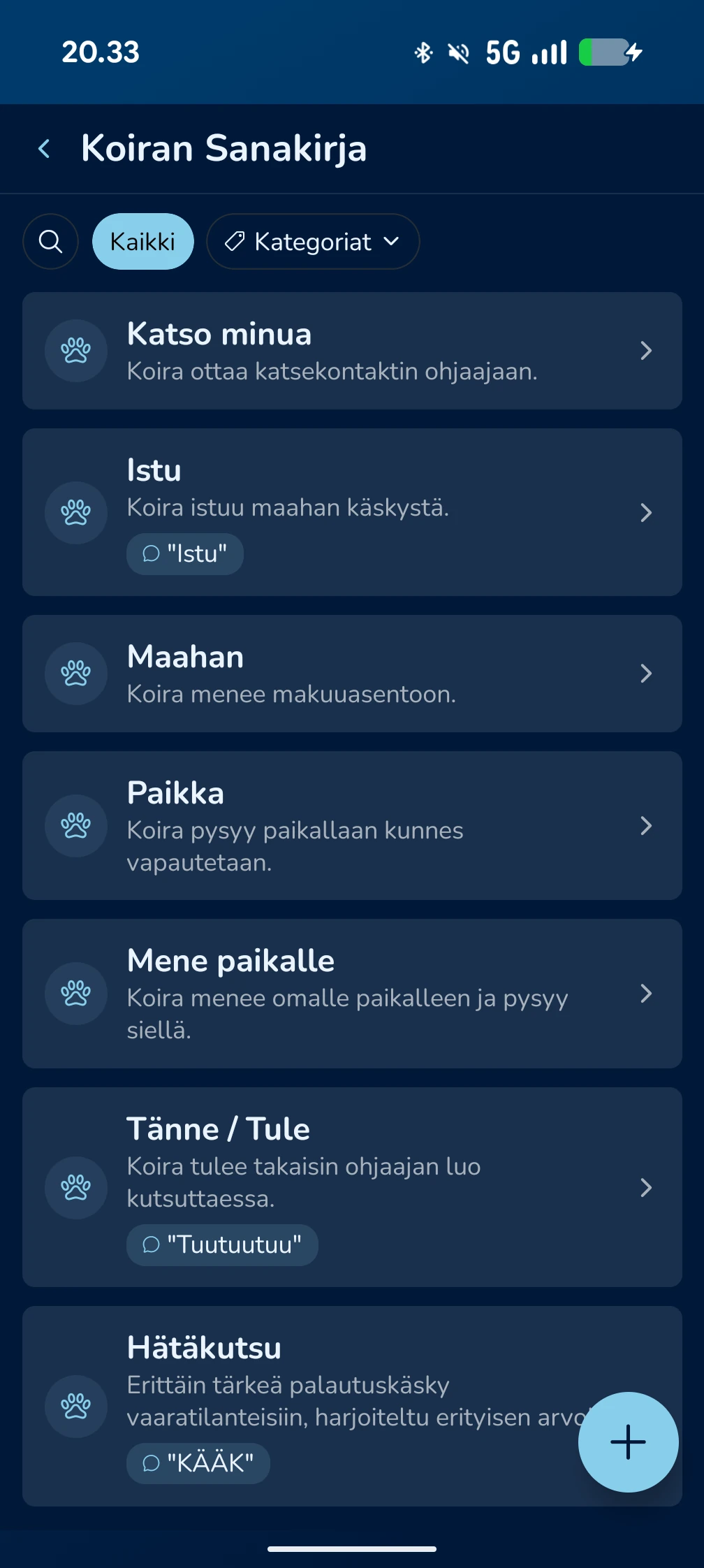
How does the dictionary work?
The dictionary is not just a list. It is a smart system divided into clear behaviours, such as Sit, Down or Emergency Recall.
Verbal cues and gestures
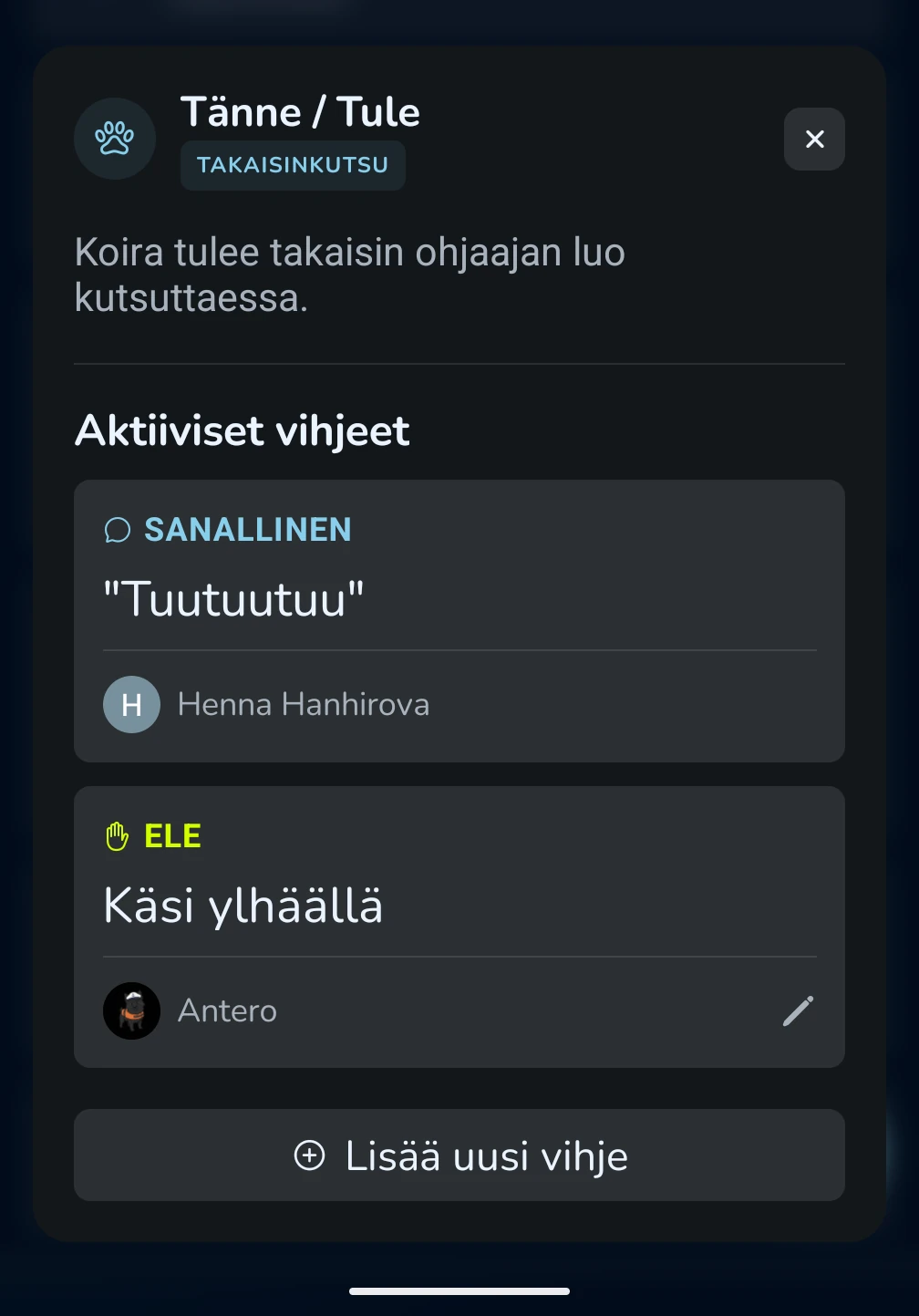
One behaviour can have several different cues:
- Verbal cues: For example "Come" or a specific call sound.
- Gestures: Visual signals, such as "hand raised".
User-specific entries
KoiraKaveri recognises that different people may use different cues for the same behaviour. The dictionary shows who taught each cue, helping family members stay aligned.
Seamless connection to training
The dictionary is integrated into KoiraKaveri training modules:
Training preparation
When you start a training module, such as letting go, the app asks you to check or enter the cues before beginning.
Support during exercises
Active cues remain visible throughout the exercise so your actions stay as consistent as possible.
Smart recommendations
Daily AI tips and articles highlight ways to use cues effectively and strengthen them in everyday life.
Easy sharing with sitters (Sitter Mode)
The dictionary becomes especially useful when your dog is with a sitter:
Sitter Mode
The dog sitter gets immediate access to the dictionary. They do not have to guess which word you use for recall; they can see it directly on their phone.
Safety
Especially important cues, such as emergency recall, are available to the sitter from day one.
Frequently Asked Questions
Can the AI Assistant help with cues?
Yes. You can ask the assistant to add a new cue or edit an old one directly through chat. The assistant can also suggest good cue words for different behaviours.
How do I add a new cue?
You can add a cue from the "+" button at the bottom of the dictionary or when starting a training module.
What if family members accidentally use different words?
The dictionary helps you notice these differences. We recommend agreeing on one shared cue, but you can store several cues under the same behaviour if needed.